Colour the document defines
Three numbers written into a file say only three numbers. What they look like is left to whatever happens to be showing them, which is why the house blue on the invoice you send is not quite the house blue on the one your customer prints.
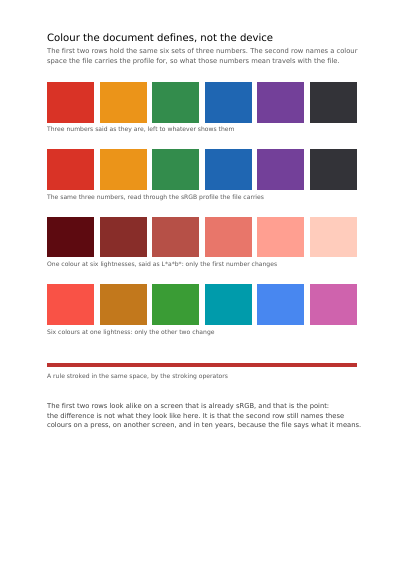
The page sets the same six colours twice. The top row is the numbers on their own, left to whatever happens to be showing them. The row under it is those very same numbers, read through a description of the screen they were chosen on, which the file carries with it. On your screen the two rows look alike, and that is the point: the difference is not what they look like here, it is that the second row still names these colours on a press, on somebody else's screen, and decades from now. Below them colour is said a third way, by measurement rather than by mixing, with how light a colour is kept apart from which colour it is — which is why one strip changes only how light, and the sweep beside it only which colour, out of the same kind of description.
What this example shows
- Bare numbers set beside the same numbers read through a profile.
- The ordinary screen profile carried inside the document itself.
- A ramp from light to dark and a sweep of measured hues.
The source code, complete
Nothing is left out and nothing is simplified: this is the program exactly as it runs, for the developer who uses this library.
The third is the description itself: a plain list of what the page has to say, which is what the service is sent.
Read the Rust source
Read the Python source
Read the JSON source
The document itself
Open the document in English
Open the document in French