A Slideshow That Runs Itself

A document that runs itself is what a screen in a reception area, a trade stand or a waiting room actually needs: no presentation software to install, no licence on the machine, nobody to click anything. The file is the show, and it plays on whatever is standing there, because every machine already opens PDF files.

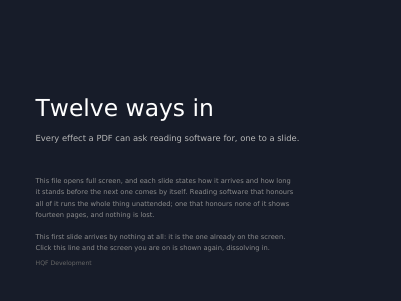
Each slide here names the effect that brings it in, how long that effect takes and how long the slide then stands, and prints all three on itself — so what you watch can be checked against what was asked for. The first page arrives plainly, and the thirteen after it carry one effect each. Open it in reading software that allows full screen to see them run.

What This Example Shows

  • All twelve page transitions the format defines.
  • A duration for the effect and a duration for the slide.
  • A file that asks to be opened full screen, and a link that shows the screen again, brought in by dissolving.

The Source Code, Complete

Nothing is left out and nothing is simplified: this is the program exactly as it runs, for the developer who uses this library. The third is the description itself: a plain list of what the page has to say, which is what the service is sent.

Read the Rust source Read the Python source Read the JSON source

The Document Itself

Open the document in English Open the document in French Open the document in German Open the document in Spanish Open the document in Italian Open the document in Portuguese

Examples Near This One

A Handbook That Says How It Wants to Be Read

Four pages that say how they want to be opened: which page comes up and how much of the window it fills, the chapters beside it, the pages two at a time, a print dialog already filled in — every one of them a wish reading software answers for itself.

Internal and External Links

A document made to be followed rather than looked at: every line of the contents lands on the page it names, and every page leads back to where it came from. Along the way it shows one link spread over two lines, the five borders a link can draw, and eight ways of showing the page a link lands on.

Links and Marks on Placed Text

Links and marks hung on text the engine has already placed: a band behind a line, an underline, a boxed cell — every rectangle taken from what the layout and the table report afterwards, none of it measured by hand.

Custom Page Labels

Fourteen pages numbered by their labels rather than their position: small and capital roman numerals, ordinary figures, letters, a prefix before figures or letters, and a back cover labelled with the prefix alone.

A Story That Carries on Further In

Two stories over two pages: each one begins in a column of the front page and carries on in a column of the second, and the two swap sides on the way. The file says which column follows which, so reading software goes on with the story it is on.

Settings Only the Press Reads

Swatches each painted under one printing setting and labelled with what it asks: overprinting, the twenty-one shapes of a halftone dot, tone curves, the four ways of converting a colour, and how finely curves are traced.

Every example, by subject