Custom page labels

The number you type to go to a page ought to be the number printed on that page. In any document with a preface it is not: the reader asks for page 12, reading software counts pages from the front and shows them page 4. On a legal file or a technical manual, that is a reference nobody can follow.

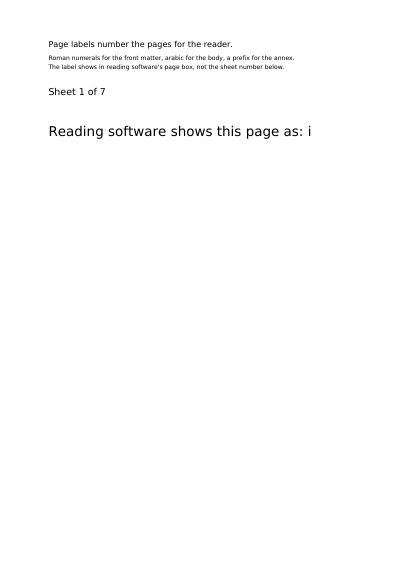
Whether the labels work is not a question the file can answer: the answer is where you type a page number in, the one place they show. So every page in this document says what the software ought to be showing for it — open the file, and the two either agree or they do not.

What this example shows

  • Roman then arabic numbering in one document.
  • A prefix set in front of the number, per range.
  • Numbering that starts again wherever you decide.

The source code, complete

Nothing is left out and nothing is simplified: this is the program exactly as it runs, for the developer who uses this library. The third is the description itself: a plain list of what the page has to say, which is what the service is sent.

Read the Rust source Read the Python source Read the JSON source

The document itself

Open the document in English Open the document in French

Custom page labels, first page

Optimised, this document weighs 15.8 kB — at least 85 % lighter than most PDF generators would write it

The document is lighter than it was, and every page still looks exactly the same. See this document's row in the table of every example.

Examples near this one

A slideshow that runs itself

A plain first slide and thirteen more, each stating the effect it arrives by — the twelve the PDF standard (ISO 32000) defines — how long that effect takes and how long the slide stands before the next one comes. The file asks to open full screen, which is where the effects play, and a link on the first slide shows the screen again, brought in by dissolving.

A handbook that says how it wants to be read

Four pages that say how they want to be opened: which page comes up and how much of the window it fills, the chapters beside it, the pages two at a time, a print dialog already filled in — every one of them a wish reading software answers for itself.

Internal and external links

A document made to be followed rather than looked at: every line of the contents lands on the page it names, and every page leads back to where it came from.

Links and marks on placed text

Links and marks hung on text the engine has already placed: a band behind a line, an underline, a boxed cell — every rectangle taken from what the layout and the table report afterwards, none of it measured by hand.

A story that carries on further in

Two stories over two pages: each one begins in a column of the front page and carries on in a column of the second, and the two swap sides on the way. The file says which column follows which, so reading software goes on with the story it is on.

Aztec codes

The code on rail and airline tickets, and the reason is room: it needs no band of white around it, which is the first thing trimmed off a layout that has run tight.

Every example, by subject