The Device the Colours Are Stated For
Name the press or the screen the document's colours were chosen for, so they come out as intended.
See It in a Real PDF
The Device a File's Colours Are Meant For
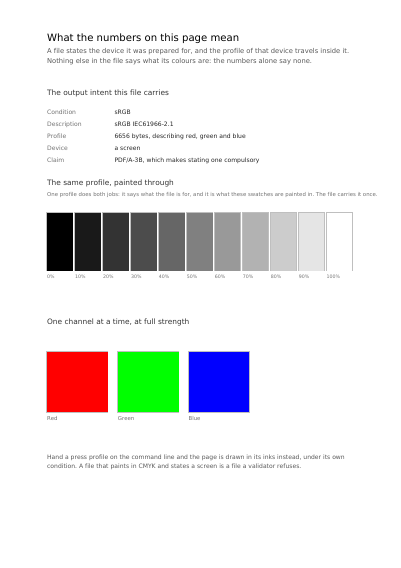
The device a file's colours were chosen for, named in plain words on the page it applies to, with a ramp and one patch per base colour painted through that device's own profile. Your printing works' description does just as well.
Open the PDF The Whole Example
Also shown in: A Sheet Prepared for the Printing Works
Summary
A red is not a red. The same red does not look the same on a screen, on glossy paper and on newsprint. The printer reads it — such a reference screen, such a press, such a paper — and knows exactly where it stands. Short of it, the document says nothing about any device, unless it is filed for the long term or prepared for a press: those two call for the statement, and the document then says its colours are those of the ordinary screen.
Technically
Written at the top level of a request, under
"output_intent"
output_intent writes an /OutputIntents entry stating the device the document's colours are stated for: that device's profile in /DestOutputProfile, the name its condition is known by in /OutputConditionIdentifier, and in /S the standard the entry answers for — GTS_PDFA1 for an archival file, GTS_PDFX for a print one. A page that fills with four numbers is a page of ink on a press, and the file names the press it was separated for, or the four numbers stand for nothing. Short of a supplied profile, the library writes the sRGB profile it carries. A request stating archive or print carries the entry whether or not it names this key; a request stating neither and naming no key carries none.
Request Schema
-
output_intent— object, optional. Absent, the file carries no output intent, unless it statesarchiveorprint, which have the sRGB profile the library carries written for them. -
output_intent.profile— string, optional. The name of the supplied part carrying the ICC profile. Absent, the library writes the sRGB profile it carries. -
output_intent.space— string, optional. The space the profile describes. Three values:gray,rgb,cmyk. Absent, the space is read from the profile, which is what says which it is; writing it has the profile checked against it. -
output_intent.identifier— string, required. The short name the condition is registered or known under:FOGRA39,CGATS TR 001,sRGB. -
output_intent.info— string, optional, empty by default. The sentence a person reads to tell one condition from another.
A Whole Request That Creates a PDF
{
  "output_intent": { "identifier": "sRGB", "info": "sRGB IEC61966-2.1" },
  "standard_fonts": [{ "name": "sans", "face": "helvetica" }],
  "items": [
    {
      "type": "rect",
      "rect": { "llx": 60, "lly": 690, "urx": 240, "ury": 770 },
      "fill": [0.85, 0.15, 0.15]
    },
    {
      "type": "text",
      "rect": { "llx": 260, "lly": 720, "urx": 535, "ury": 740 },
      "content": ["Colours stated for sRGB"],
      "font": "sans",
      "font_size": 12
    }
  ]
}Colour and how it is shown
Which Plate of a Separated Sheet a Page Is The Device One Page's Colours Are Stated For Declaring Colour beyond Red, Green and Blue What a Page's Bare Numbers Mean A Colour Sliding into Another Opacity, Mixing, and What a Press Asks For A Cell Repeated to Fill a Shape The Space a Page Mixes Its Colours In
Where to Go Next
Every JSON key of a request, in one page The other forty-one settings of a request