The device a file's colours are meant for

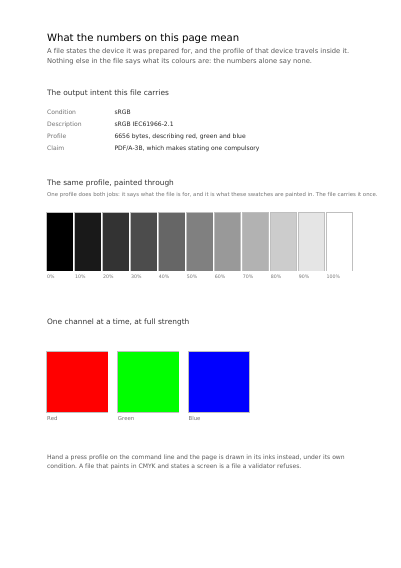
The output intent a file carries, printed on the page it describes: the printing conditions, their description and the profile behind them, with a ramp and one swatch per ink painted through that same profile. Hand a press profile on the command line and the page is drawn in that press's inks instead.

A page that fills a rectangle with four numbers has said four numbers and nothing at all about what colour they make. The output intent is the answer: the profile of the device the job was prepared for, travelling inside the file, together with the name of the printing conditions it was prepared for.

A file that declares itself made for archiving is obliged to state one, so this is a piece every PDF/A file needs. The page prints the intent it carries and paints a ramp and one swatch per ink through that same profile; hand it a press profile on the command line and it is drawn in that press's inks instead.

What this example shows

  • An ICC profile embedded as the file's output intent.
  • The printing conditions and their description, written into the file.
  • The intent printed on the page it applies to.

The code, in full

The same document is written twice, once in each language. Both files are shown in full, with the code coloured on the server, and can be copied in one click.

The document itself

The same document is written in each of these languages. Open the one you want to look at.

Open the document in English Open the document in French
Read the Rust source Read the Python source

First page of The device a file's colours are meant for

What this document weighs

Before 119,232 bytes
Now 49,002 bytes
Saved 58.9 %

Not one mark on the page changed. See every document measured.

Examples near this one

Grey, screen and printing colours

Swatches in each of the three ways to say a colour — a grey as one number, a screen colour as three, a printing colour as four inks — each captioned with the instruction actually written into the file, and one mid-grey said three ways.

Colour the document defines

The same six colours said as bare numbers and then read through the sRGB profile the file carries, plus a ramp from light to dark and a sweep of hues in CIE L*a*b*: colour that still means the same thing on another screen and on a press.

Inks on plates of their own

Two inks the press carries on a plate of their own, each at ten strengths, a piece of work set in both, and the crosses used to line the plates up — drawn in an ink every plate answers to.

Several plates at once, each at a strength of its own

Eight choices of plate among the four usual inks, each with the small program that shows it printed underneath, and two inks the press carries itself used together, every strength of one against every strength of the other.

A chart of colours, and a drawing that names places in it

A chart of house colours the file carries, and a drawing whose sixteen numbers are places in that chart rather than colours. The same drawing is shown twice through two charts: repainting a whole brand is one table, not every drawing.

One hatch, laid down in as many colours as the page asks for

One pattern that states no colour of its own, laid down in five colours and in five strengths of one press ink: the fill says what colour to lay it down in. Beside them, the same hatch made of patterns that carry their own colours, which is one pattern per colour.

Every example, by subject

Glossary

PDF/A
A PDF made to be readable in twenty years' time. Everything it needs is inside the file — the fonts, the colours, the description of what it is — so nothing it depends on can go missing later. Public bodies and archives ask for it by name.
colour profile
A file that says what a colour actually looks like. Without one, the same red is one red on your screen and another on a press. A document meant for print carries the profile its colours were chosen against.
output intent
The colour profile written into a document to say which press or which screen its colours were chosen for. A printer reads it to know what the numbers in the file are meant to look like, and the rules on documents kept for the long term ask for one.
CMYK
The four inks a printing press lays down: cyan, magenta, yellow and black. A screen mixes light instead, so a document going to a press states its colours in inks, not in screen colours.