Which Attachments a Page Claims
Say, page by page, which of the attachments belong to that page, so a hundred statements in one PDF each keep their own data file.
See It in a Real PDF
A Register Whose Pages Say Where They Came From
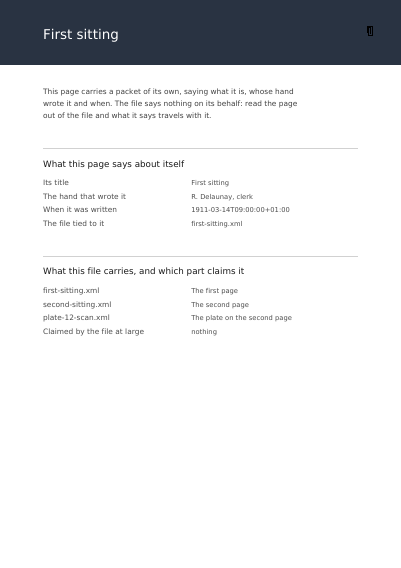
Two sittings bound into one file. Each page carries a record of its own — what it is, whose hand wrote it, the day it was written — the photograph on the second page carries one too, and each transcription is tied to the page it transcribes rather than to the file at large.
Summary
A PDF carrying a single file is simple: the file belongs to the document. Send a hundred customers their statement in one PDF, though, and « the document » is no longer the right answer — file number seven belongs to page seven and to no other. Whoever cuts the big PDF back into a hundred statements then knows which file follows which page, without having to guess from a name.
Technically
Written at the top level of a request, under
"page_files"
page_files writes /AF on the pages it names, which is how a page claims the files declared in attachments. Every entry names the one-based page it is for and the names of the attachments that page claims. A page named twice claims the files of the last entry given for it, whole rather than merged. A file claimed by no page stays carried by the document itself, which is the shape a single-invoice PDF takes.
Request Schema
-
page_files— array, optional, empty by default. -
page_files[].page— integer, required, counting from 1, as every page number in a request counts. -
page_files[].files— array of strings, required. The names of the declared attachments the page claims. Each must name one ofattachments.
Scope: the pages named. A page named twice takes the last entry given for it, whole: the two lists are not added together.
A Whole Request That Creates a PDF
{
  "version": "2.0",
  "attachments": [
    {
      "name": "first_sitting",
      "file_name": "sitting-1911-03-14.xml",
      "description": "The sitting as a data file",
      "media_type": "text/xml",
      "relationship": "data",
      "modified": "2026-08-03T09:15:00+02:00"
    }
  ],
  "page_files": [{ "page": 1, "files": ["first_sitting"] }],
  "standard_fonts": [{ "name": "sans", "face": "helvetica" }],
  "items": [
    {
      "type": "text",
      "rect": { "llx": 72, "lly": 700, "urx": 523, "ury": 740 },
      "content": ["The sitting this page claims a file for"],
      "font": "sans",
      "font_size": 12
    }
  ]
}
The document as a whole
The Numbers Reading Software Shows A Hundred Letters in a Single File What the Document Says about Itself What the Document Says about Itself, Said Once Text Nobody Can Copy The Notes a Program Leaves in the File for Itself The Notes a Program Leaves on One Page The Data a Program Hangs on a Run of Ink A File Still Readable Decades from Now The Print Standard the Document Claims The Variable Print Standard the Document Claims The Password That Opens It, and What May Be Done with It An Invoice a Person and a Machine Both Read The Address Relative Links Are Read Against The PDF Version the File Declares The Extensions to PDF the File Says It Uses What a Picture Says about Itself, and How It Is Read The Attachments the Document Carries Beside Its Pages Files the Document Names without Carrying The Attachments Shown as a Portfolio Which Attachments a Font Claims The Identity Card a Single Font Carries Which Attachments the Document's Card Claims A Document Card Written Elsewhere The Areas of a Page a Reader Measures In The Identity Card a Single Page Carries The Accessibility Standard the Document Claims The Standards the Finished Document Is Measured Against
Where to Go Next
Every JSON key of a request, in one page The other forty-one settings of a request