The Password That Opens It, and What May Be Done with It
Lock the document under a password, and name what reading software is asked to allow: printing, copying, filling in a form.
See It in a Real PDF
A Document That Reads Freely and Asks Not to Be Copied
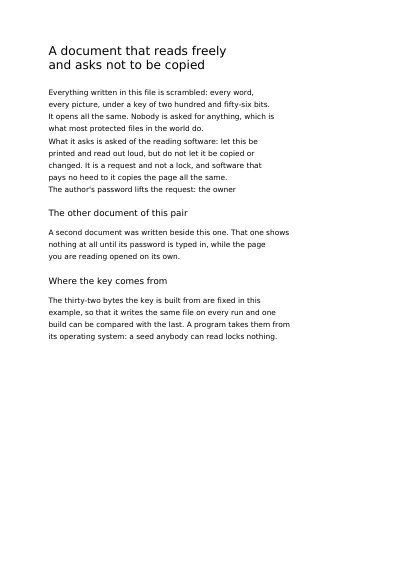
A page that opens without a password and prints like any other, but asks the reading software to forbid copying and pasting its text. The text is encrypted in the file: a program reading it byte by byte finds no sentence in it.
Open the PDF The Whole Example
Also shown in: A Document That Asks for a Password Before It Opens
Summary
A binder goes in a drawer and the drawer takes a key. A PDF works the same way, with two passwords rather than one. The first is typed by whoever opens the document: as long as it is not typed, the reading software shows nothing at all. The second belongs to whoever wrote the document, and hands that person everything the others are asked to do without. Both are yours to choose, and you may ask for one, the other, both, or neither. What you name is allowed, and what you leave out stays out. Those are wishes the reading software people actually use honours; the password before the first page is the one that truly holds the door. And since the password travels with your request, send it over a secure connection — the document is written with it, and it is forgotten the moment the file is on its way back.
Technically
Written at the top level of a request, under
"protection"
protection locks the document: every string and every stream is written as ciphertext under AES with a two-hundred-and-fifty-six-bit encryption key. The block on its own is enough — one naming neither password locks the file all the same and lets it open with nothing typed in, which is what most protected files in the world do. The encryption key is the request's to state: given in protection.key, the same request written twice is the same file. Left out, it is read off the machine's own randomness once per render and derived from nothing the request carries, so two renders of one protected request come back as two different files. It is one of two places in the schema where that holds: the other is a run of text asking for the moment of rendering, which reads the clock as the page is drawn. The permissions are named one by one, each name granting one thing, and a name outside the eight comes back 400 with the eight listed. What the permissions withhold is stated in the file for reading software to honour, and the reading software in daily use does honour it; the user_password is what holds a page back on its own. A password stays inside the render: it reaches neither the log, nor an incident report, nor the answer the customer is given, and the body of the request is dropped as soon as it is read.
Request Schema
-
protection— object, optional, absent by default. Present, the document is locked under AES-256; absent, it is written in the clear. -
protection.user_password— string, optional. What a person types before reading software shows a single page. Absent, the document opens with nothing typed in. -
protection.owner_password— string, optional. What the author types to be given everything the permissions withhold. Absent, the file states the other password in its place. -
protection.permissions— array of strings, optional, empty by default. Each name grants one thing, and what is granted is what is named. Eight values:printing— the document may be printed.printing_at_full_resolution— it prints at the resolution it was drawn at. Grantingprintingalone prints it as a coarse picture.modifying— the content of the document may be changed. Annotating it, filling in a form and reordering its pages each have a permission of their own, below.copying— text and pictures may be taken out of it.annotating— shapes may be drawn over it and form fields filled in.filling_forms— form fields may be filled in on their own, whereverannotatingis left out.extracting_for_accessibility— text may be taken out for a screen reader; every locked document grants it, named or not.assembling— pages may be inserted, rotated or removed.
-
A name outside the eight comes back
400, the eight listed with it. -
protection.key— string, optional. The thirty-two bytes the encryption key is built from, in base64, the way an embedded font's bytes travel. Absent, the server draws them once per render. A value that is not base64, or that is not thirty-two bytes once decoded, comes back400. -
protection.only_the_attachments— boolean, optional,falseby default.truenarrows the lock to the document's attachments: the pages, the strings and what the document says about itself are written in the clear and open with nothing typed in, each attachment is written as ciphertext, and the password the request states is what hands the attachments over. A request asking for it for a document with no attachment, or that states both passwords, comes back400. -
protection.for_older_readers— boolean, optional,falseby default.truelocks the document the way older reading software opens it: AES with a key of 128 bits, the passwords spelt in the PDFDocEncoding character set, the document declaring PDF 1.6 at the least. A password that character set cannot spell comes back400. -
protection.metadata_in_the_clear— boolean, optional,falseby default.trueleaves the document's metadata packet readable while everything else is locked: the title, the author and the rest of what the document says about itself as XML, for a search index or an archive's catalogue to read without the password. The strings of the information dictionary stay locked with the rest. -
protection.authenticated— boolean, optional,falseby default. The lock that tells reading software a byte was changed: AES in Galois/Counter Mode, PDF 2.0.
Two renders of one protected request that states no key are two different files, the encryption key being read off the machine each time. A document meant to come back byte for byte across two renders states its own protection.key, or is written in the clear, and asks for no run of text carrying the moment of rendering — those are the two places in the schema where one request gives two files.
Archiving: archive and protection are asked for one at a time, and a request stating both comes back 400. An archiving standard promises the file can still be read once nobody is left who was told the password, and every part of PDF/A holds a file to that.
Accessibility: every locked document grants extracting_for_accessibility, whether the request names it or not, so that a screen reader always has something to read.
A password is carried in the request as it stands, so a customer sends one over TLS and keeps it out of anything that writes a request down.
A Whole Request That Creates a PDF
{
  "protection": {
    "user_password": "the-reader-types-this",
    "owner_password": "the-author-keeps-this",
    "permissions": [
      "printing",
      "printing_at_full_resolution",
      "extracting_for_accessibility"
    ]
  },
  "metadata": { "title": "Salary statement, March 2026" },
  "standard_fonts": [{ "name": "sans", "face": "helvetica" }],
  "items": [
    {
      "type": "text",
      "rect": { "llx": 60, "lly": 740, "urx": 535, "ury": 768 },
      "content": ["Salary statement, March 2026"],
      "font": "sans",
      "font_size": 18
    }
  ]
}
The document as a whole
The Numbers Reading Software Shows A Hundred Letters in a Single File What the Document Says about Itself What the Document Says about Itself, Said Once Text Nobody Can Copy The Notes a Program Leaves in the File for Itself The Notes a Program Leaves on One Page The Data a Program Hangs on a Run of Ink A File Still Readable Decades from Now The Print Standard the Document Claims The Variable Print Standard the Document Claims An Invoice a Person and a Machine Both Read The Address Relative Links Are Read Against The PDF Version the File Declares The Extensions to PDF the File Says It Uses What a Picture Says about Itself, and How It Is Read The Attachments the Document Carries Beside Its Pages Files the Document Names without Carrying The Attachments Shown as a Portfolio Which Attachments a Page Claims Which Attachments a Font Claims The Identity Card a Single Font Carries Which Attachments the Document's Card Claims A Document Card Written Elsewhere The Areas of a Page a Reader Measures In The Identity Card a Single Page Carries The Accessibility Standard the Document Claims The Standards the Finished Document Is Measured Against
Where to Go Next
Every JSON key of a request, in one page The other forty-one settings of a request