The Clickable Contents Down the Side
Give the document a folding contents list beside the pages, each line leading straight to a page.
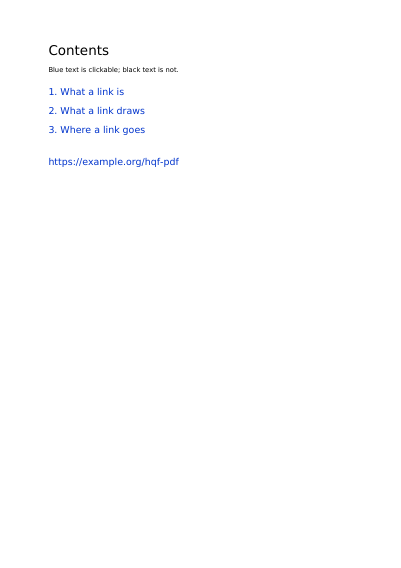
See It in a Real PDF
A document made to be followed rather than looked at: every line of the contents lands on the page it names, and every page leads back to where it came from. Along the way it shows one link spread over two lines, the five borders a link can draw, and eight ways of showing the page a link lands on.
Open the PDF The Whole Example
Also shown in: A Handbook That Says How It Wants to Be Read
Summary
In a thick binder, dividers with tabs let you find a section without leafing through. Lines can carry further lines, like a book's contents with its chapters and sub-chapters, and you decide which ones open of their own accord the first time the document is shown.
Technically
Written at the top level of a request, under
"bookmarks"
bookmarks writes the /Outlines tree reading software shows in its side panel. Each bookmark has a title, the page it leads to, and possibly further bookmarks nested under it. The array's order is the display order. For the panel to open by itself when the document opens, ask for it through reading.open_mode. A bookmark leading to a page the document does not have is refused.
Request Schema
-
bookmarks— array, optional, empty by default. -
bookmarks[].title— string, required. What reading software shows for it. -
bookmarks[].page— integer ≥ 1, optional. The page the bookmark leads to, shown whole unlessfitsays otherwise. A page the document does not have is refused, and the answer names it in the numbering the request used. -
bookmarks[].open— boolean, optional,falseby default. Shows what is nested under it without being asked. -
bookmarks[].children— array, optional, empty by default. The bookmarks nested under this one, same shape, to any depth. -
bookmarks[].fit— object or string, optional. How much of that page fills the window, in the framing shapes ofreading.open_on.fit: a chapter opening on its own first line is{"full_width": {"top": 742}}. Named on a bookmark that names nopage, it is refused. -
bookmarks[].action— action, optional. What following the bookmark sets off in place of a page: an address, a page of another file, a layer switched. Naming bothpageandactionis refused. -
bookmarks[].element— string, optional. Theidof the node ofstructurethe bookmark stands for. Beside apageor anaction, reading software that knows it goes to that element and one that does not follows the bookmark as it stands; named alone, the bookmark leads to that element wherever it is laid out, which is PDF 2.0. -
bookmarks[].separator— boolean, optional,falseby default.truemakes the bookmark lead nowhere: it is the row the panel is divided by, itstitlethe rule the panel draws. A separator names none ofpage,actionandelement, and still takes a colour, a style and bookmarks nested under it. -
bookmarks[].color— colour, optional. The colour the title is drawn in, given in light: three numbers, or one for a grey. Absent, the reading software's own. -
bookmarks[].italicandbookmarks[].bold— booleans, optional,falseby default. Whether the title is slanted, thickened; both may be stated. -
A bookmark that names none of
page,actionandelement, and is no separator, is refused.
A bookmark leads to a page by its number. For a landing place that follows the document rather than the number, go through destinations and a link item that names it.
A Whole Request That Creates a PDF
{
  "bookmarks": [
    {
      "title": "Contents",
      "page": 1,
      "open": true,
      "children": [{ "title": "The annex", "page": 2 }]
    }
  ],
  "standard_fonts": [{ "name": "sans", "face": "helvetica" }],
  "items": [
    {
      "type": "text",
      "pages": [1],
      "rect": { "llx": 60, "lly": 740, "urx": 535, "ury": 768 },
      "content": ["Contents"],
      "font": "sans",
      "font_size": 18
    },
    {
      "type": "text",
      "pages": [2],
      "rect": { "llx": 60, "lly": 740, "urx": 535, "ury": 768 },
      "content": ["The annex"],
      "font": "sans",
      "font_size": 18
    }
  ]
}Finding one's way through it
The Order One Field Leads to the Next What a Page Sets off as Reading Software Comes and Goes What the Document Runs as It Is Closed, Saved or Printed The Scripts the Document Registers by Name What the Document Says It Is Made Of Landing Places That Have a Name Following an Article Column by Column How the Document Opens and Prints
Where to Go Next
Every JSON key of a request, in one page The other forty-one settings of a request