Images on a page
A photograph that goes in exactly as it came out of the camera, and one with transparent parts that keeps them, each on a page cut to its own size.
Before choosing a library the question is nearly always the same: will it read the pictures we already have? We read these four formats. JPEG, which is what a camera and a telephone produce. PNG, which is what a screenshot comes in, and what a logo with transparent parts comes in. BMP, the plain uncompressed one older software still writes. And TIFF, which is what a scanner and a fax machine write, whole batches of sheets at a time. Between them they cover what comes off a camera, off a screen, off a scanner and off an older machine, which is very nearly everything a working document is built from.
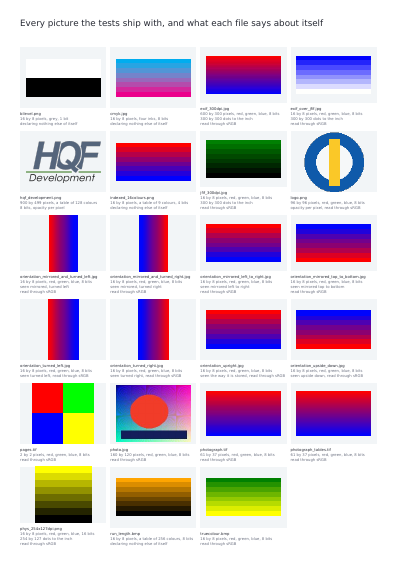
A list in a manual says what somebody meant to support rather than what happens when a real file off a real camera is handed over. So this page is the answer in the form that cannot flatter anybody: every picture the engine's own tests are run against, opened, and described by what came out of it rather than by what the example was told to expect — and between them those pictures cover all four formats. A file that declares nothing about itself says so, which is exactly why it is worth showing beside the ones that do.
Nothing is left out and nothing is simplified: this is the program exactly as it runs, for the developer who uses this library. The third is the description itself: a plain list of what the page has to say, which is what the service is sent.
Read the Rust source Read the Python source Read the JSON source
The document is lighter than it was, and every page still looks exactly the same. See this document's row in the table of every example.
A photograph that goes in exactly as it came out of the camera, and one with transparent parts that keeps them, each on a page cut to its own size.
A file of three sheets and a file holding one photograph, each picture on a page cut to its own size; the photograph goes in exactly as the camera wrote it, since reading software reads a photograph itself.
One picture fitted into a rectangle of one size eight ways: three ways of sizing it, the same one stood in the top left corner with a 12-point inset, a quarter turn left, a quarter turn right, a turn of 20 degrees, and a left-to-right mirror — every panel drawing the picture at the place and the size the library worked out.
Overlong text in a narrow table cell: left to overflow the column, or cut to it.
An order of four lines and one of seven, in frames of the same height, both ending on the same bottom edge. Underneath, two notes of unequal length whose lines are moved apart until each reaches the foot of its frame.
Stripes for the two jobs that want them: Code 128 for any text at all, and the three a till reads — EAN-13, UPC-A, EAN-8 — each with its last digit worked out rather than typed.